The revision app for high school and university students
You remember what you revise.
Import your course materials. Memotivia suggests revision cards from them, formulas included. You review them at the right time, even offline.
Coming soon to the App Store, Google Play and the web.
How it works
Three steps, and what you revise sticks.
-
Import your courses
PDF, photo or text. Sort them by subject and folder, and find them in the app.
-
Approve the suggestions
Memotivia suggests concepts, cards, revision sheets and mind maps taken from your course. You accept, edit or reject them.
-
Revise at the right time
Every day, the cards to review. You answer Again, Hard, Good or Easy, and the app schedules the next review.
What changes
-
Formulas you can read
Your cards handle maths formulas and code. They display cleanly, at the size you choose.
-
Nothing without your say
What the AI suggests arrives as a draft. Nothing enters your revision until you have seen it.
-
Even offline
Revision works on the bus or in class. Everything syncs when you are back online.
-
You know where you stand
Each concept is Not started, Shaky, Learning or Mastered. You see right away what is not sticking.
-
Reminders you choose
Days, times, subjects: you set them. No notification you did not ask for.
-
Your courses stay yours
Stored in Paris, never used to train an AI. No ads, no audience measurement.
Going further
Cards are only the start. Everything comes from your courses. During the test, these features open account by account.
Practise
- Exercises from your course Problems, code, course questions, vocabulary, essays, translation… with their corrections.
- Mock exams Timed, corrected, marked out of 20. The timer keeps running if you leave the screen.
- A hint, then another explanation Stuck? A hint, the passage from your course, the correction, then "Explain it again".
- An exercise from a photo Take a photo of an exercise: hints and a step-by-step correction.
Summarise
- Revision sheets Suggested from your course, to approve like everything else.
- Mind maps All your concepts on one map.
- Audio summaries 5 or 10 minutes on a sheet, a concept or a course, to listen to offline.
- Cards you can listen to Your device's voice reads the front and the back.
Organise
- A plan up to the exam Add a deadline: your plan fills in by itself, day by day.
- In your calendar Google Calendar, Apple Calendar or Outlook subscribe to your plan.
- Annotate and draw Write on your courses, draw your diagrams with a finger or a stylus.
- iCloud backup On iPhone and iPad, if you turn it on.
The app in pictures
Screenshots of the app on iPhone, with sample data.
-
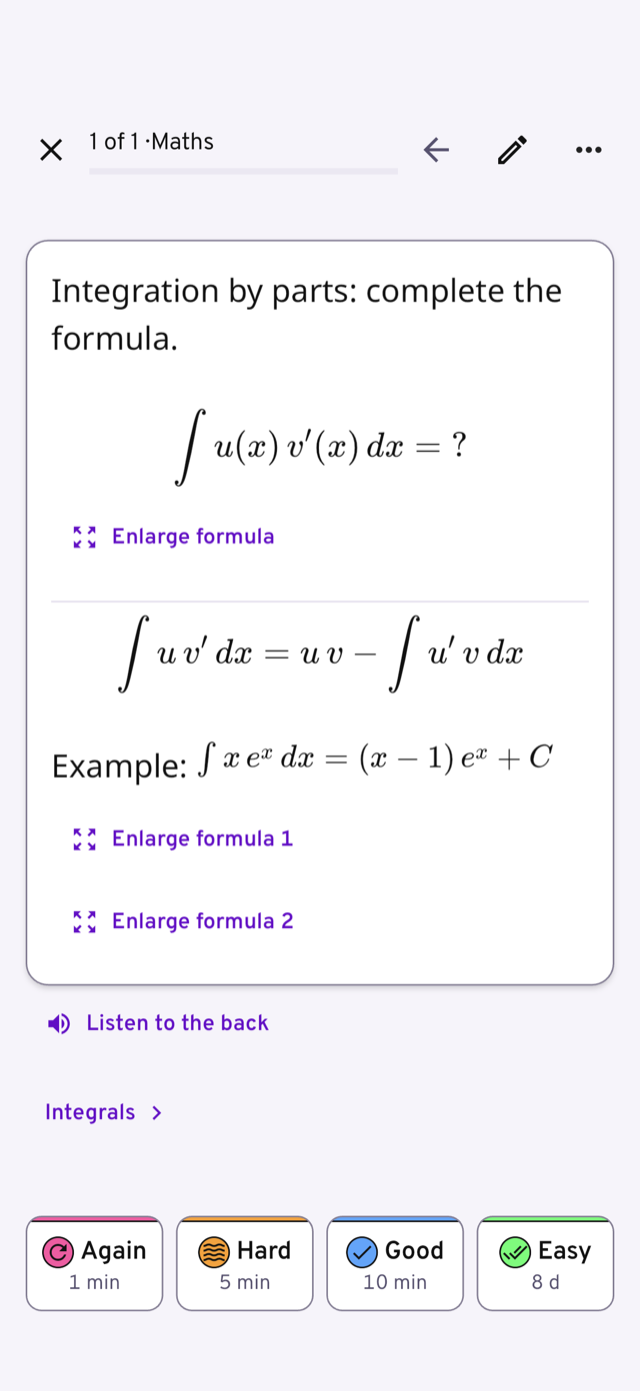
A maths card, formula included. -
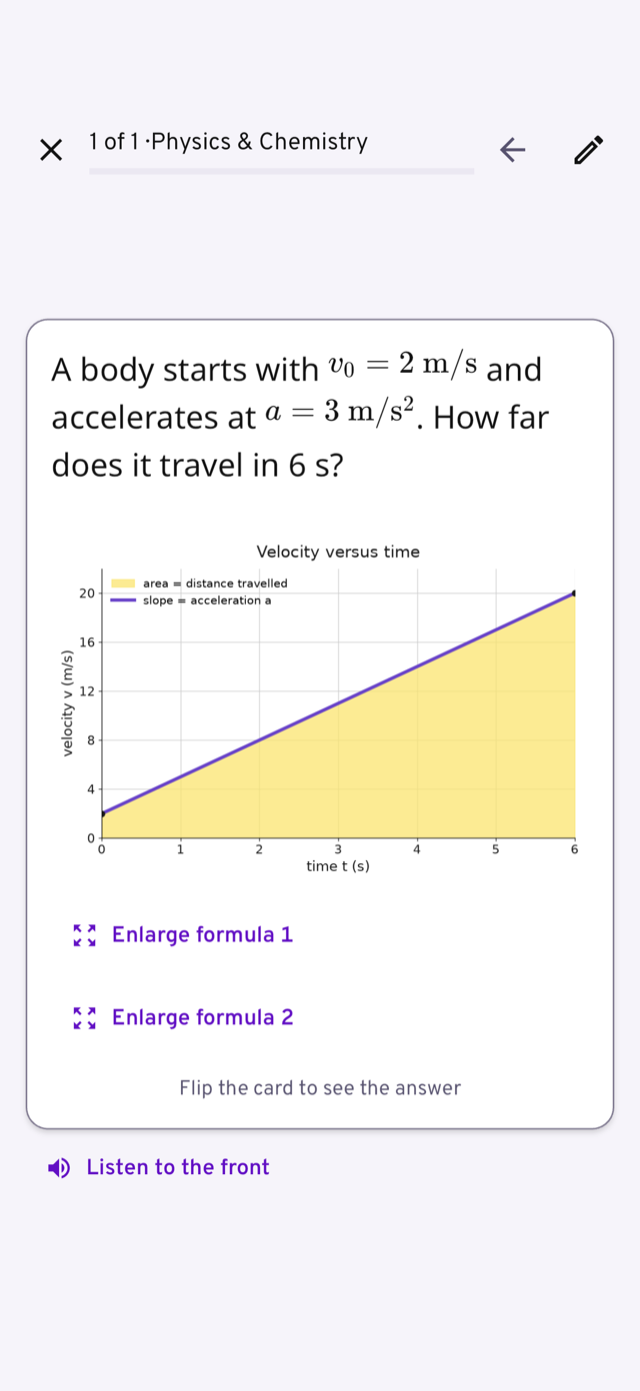
A physics card, with its graph. -
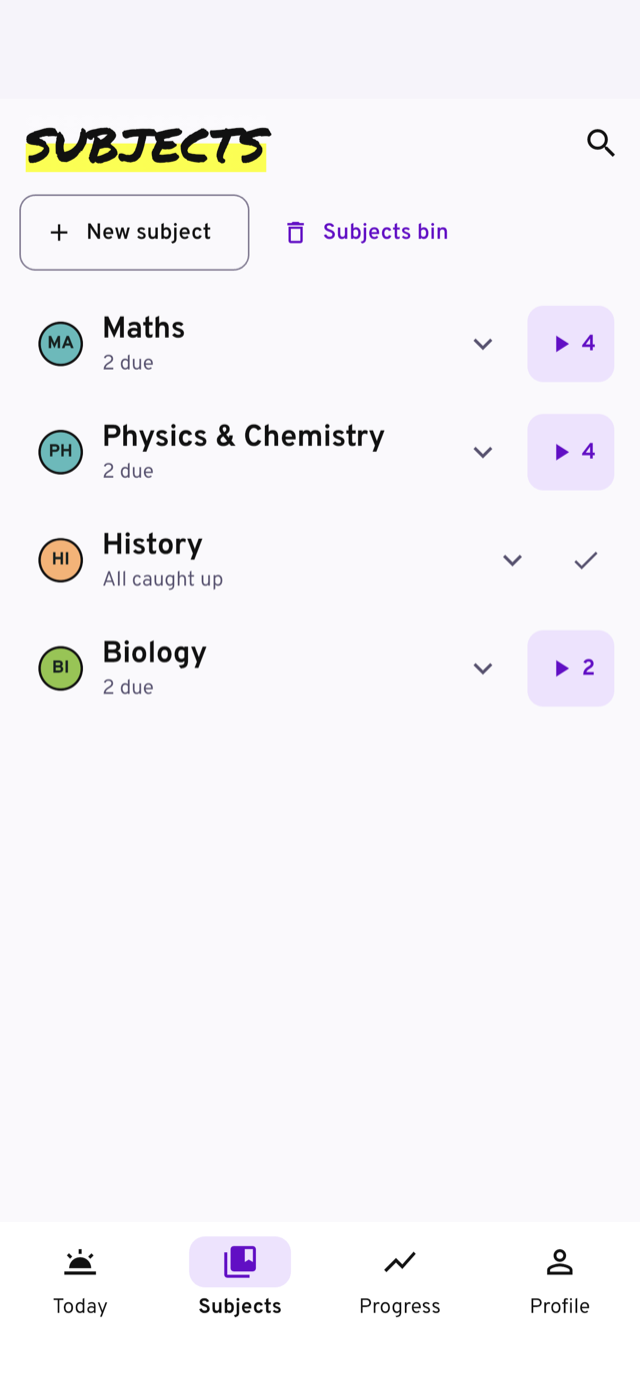
Your subjects, sorted your way. -
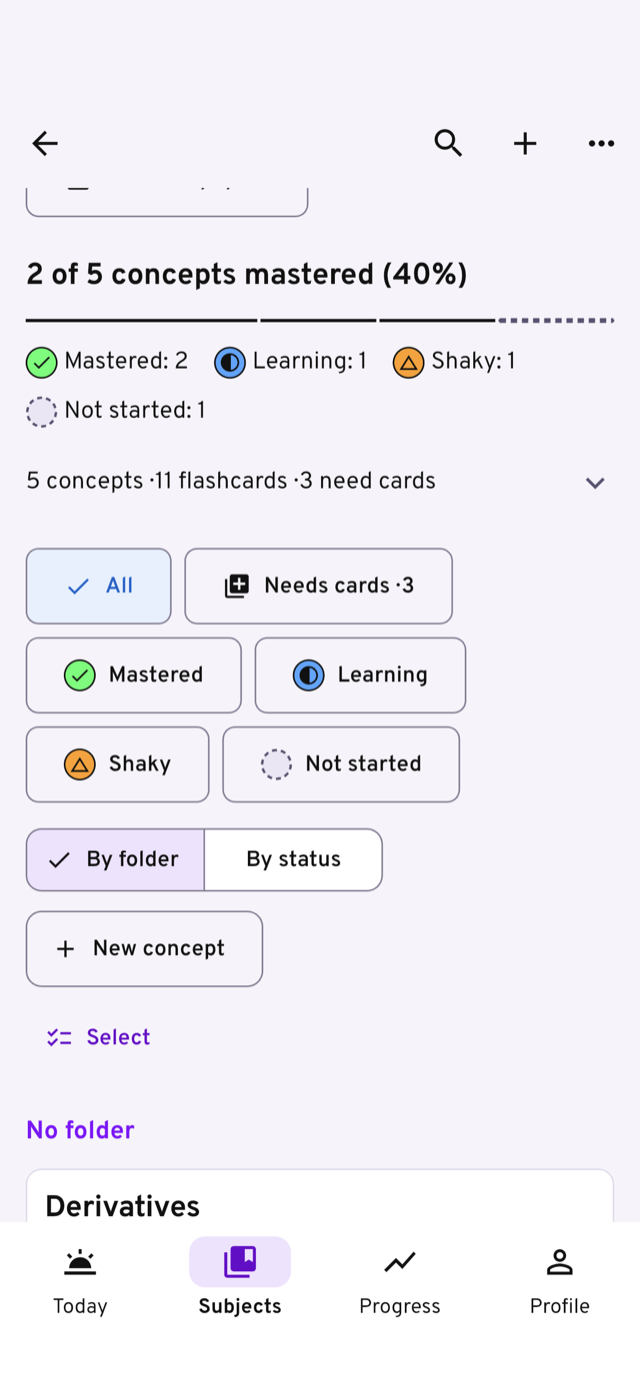
What you have mastered, concept by concept. -
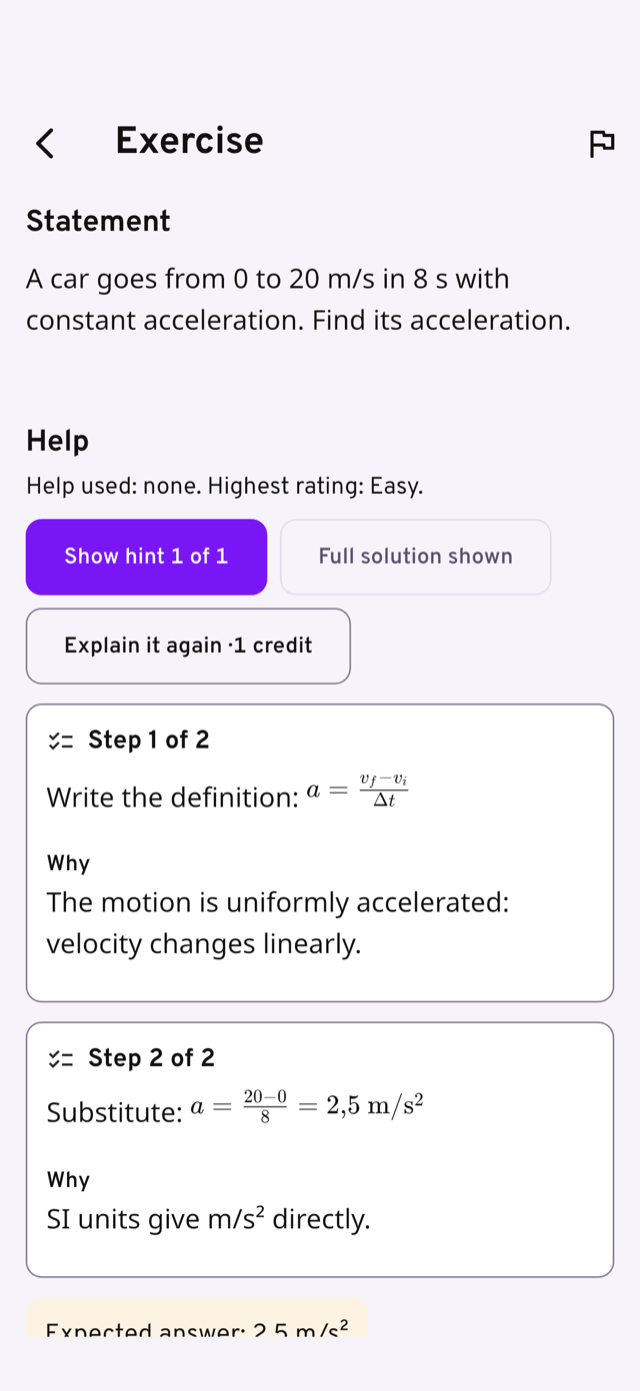
An exercise and its step-by-step correction. -
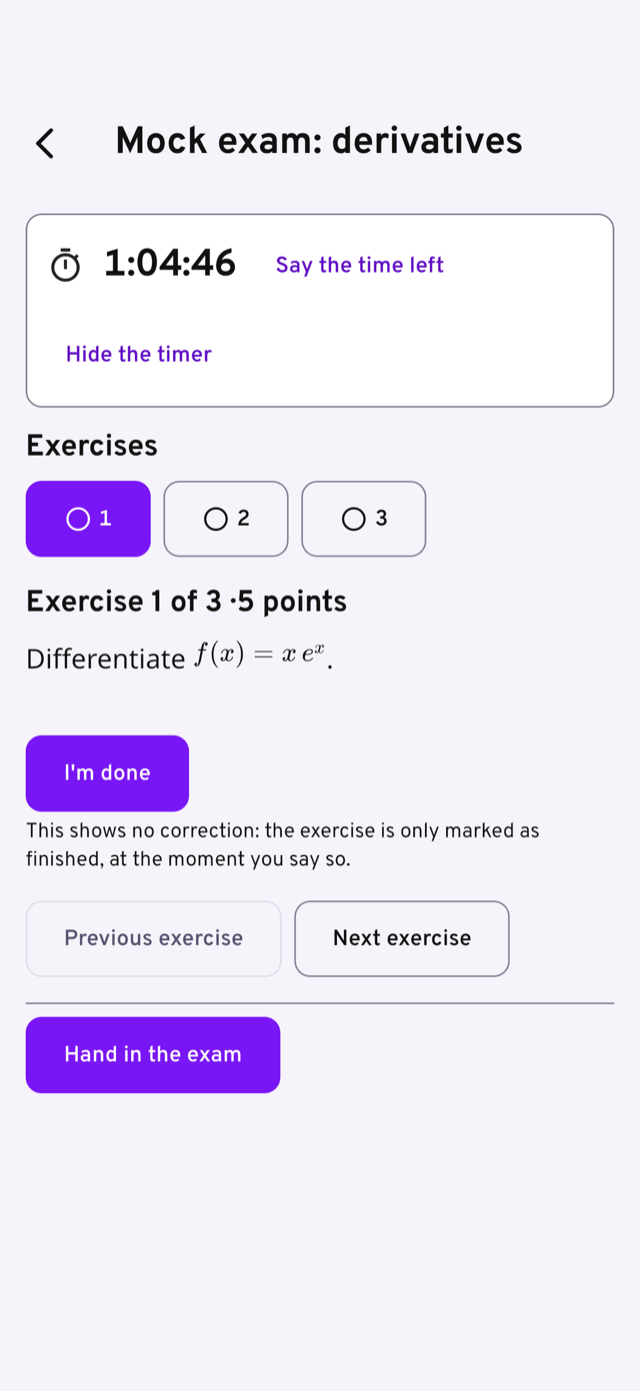
A mock exam, timer running.
Coming soon
Memotivia is coming to the App Store, Google Play and the web. There is no date yet.
- App Store: soon
- Google Play: soon
- Web: soon
For now, the app is in a closed test, by invitation.
Questions
Who is it for?
For anyone with a lot to remember, especially in science: maths, physics, stats, code. The app also works for every other subject.
Can I try it?
Not for everyone yet. Memotivia is in a closed test, by invitation. You must be 15 or over (see the terms of use).
How much does it cost?
During the test, nothing: the app is free. The plans for the public version have not been set yet.
What if the AI gets it wrong?
It can happen, with any AI. That is why its suggestions arrive as drafts: you accept, edit or reject them. Check what you accept: it replaces neither your course nor your teacher.
What happens to my courses?
They are stored in Paris and are not used to train any model. To make suggestions, they are read by Gemini, Google's AI, and that reading may take place outside the European Union. It is all explained in the privacy policy.
Does it work offline?
Revision does. Importing, viewing courses and AI suggestions need a connection.
When can I install it?
Soon, on the App Store, Google Play and the web. There is no date yet.